
Password Policy Best Practices for Small Businesses (2026 Checklist)
Build a compliant 2026 small business password policy with NIST length rules, password manager rollout steps, and MFA enforcement checklists.
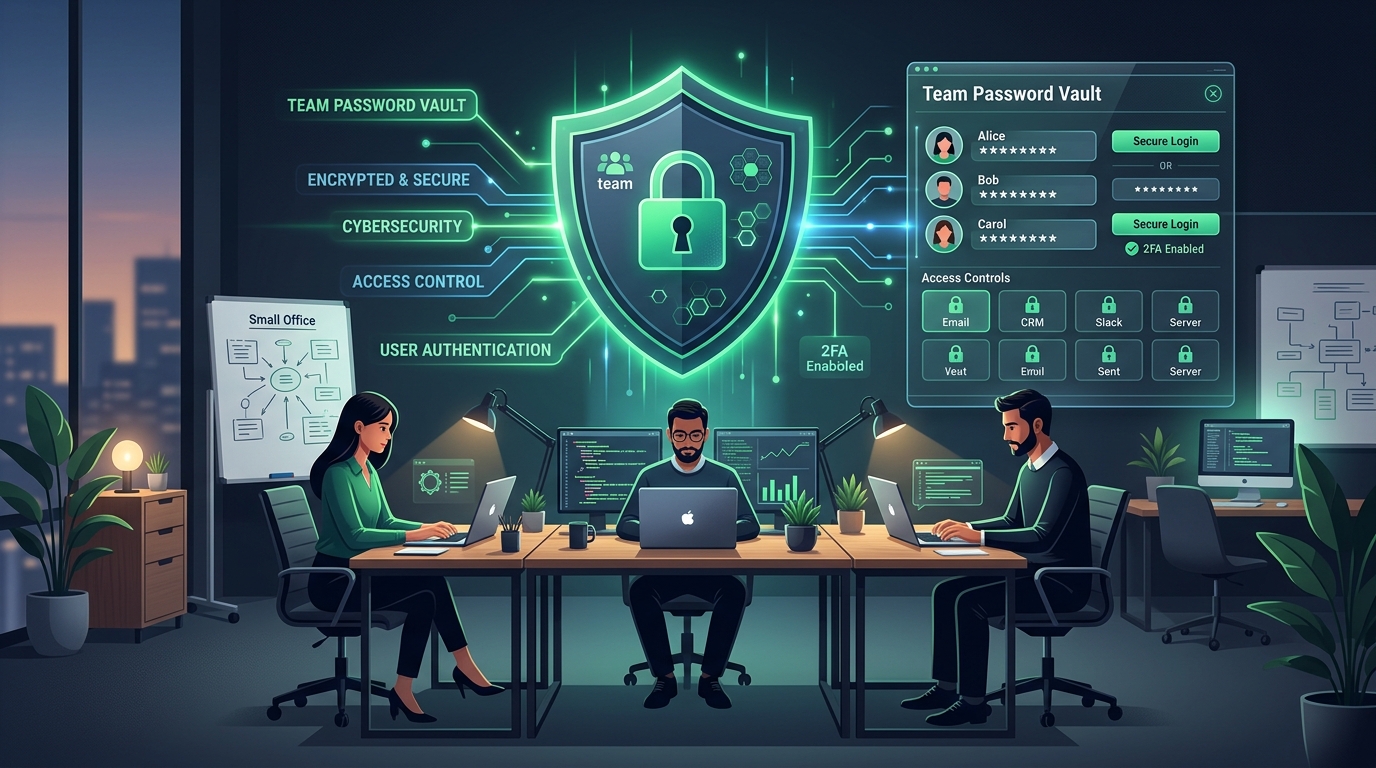
A standardized team password policy combines 16-character credential baselines, zero-knowledge vaults, and mandatory MFA.
Quick Answer: Modern small business password policies require a minimum of 16-character passwords generated by an enterprise password manager, ban forced 90-day calendar resets, screen against breached credential lists, and enforce phishing-resistant multi-factor authentication (MFA) across corporate email, cloud storage, and remote access.
Small and mid-sized businesses (SMBs) remain the primary targets of automated credential-stuffing and ransomware attacks. Employees who reuse personal passwords or share administrative logins across unencrypted chat channels inadvertently expose corporate bank accounts and customer data. You can generate compliant 16 to 24 character credentials instantly using our free browser-only Password Generator or create memorable team passphrases with our Passphrase Generator.
Why Outdated 8-Character Policies Hurt Small Businesses More Than Breaches
For decades, small businesses enforced 8-character passwords with complexity rules (requiring one uppercase letter, one number, and one symbol) and forced quarterly password resets. In 2026, cybersecurity research from US NIST, the Canadian Centre for Cyber Security (CCCS), and the UK NCSC confirms that these legacy policies actively harm security:
- Predictable Incremental Patterns: When forced to change passwords every 90 days, employees simply change
Winter2026!toSpring2026!. Cracking tools like Hashcat test these exact predictable word-plus-season patterns in milliseconds. - The Unencrypted Spreadsheet Trap: Without an enterprise password manager, employees inevitably record complex passwords in shared Google Sheets, desktop sticky notes, or Slack channels, exposing all accounts if an info-stealer breaches a single endpoint.
- Credential Stuffing Weaponization: Over 80% of corporate data breaches originate from compromised credentials. Attackers buy dumped credential lists from third-party forum leaks and test them automatically against Microsoft 365, Google Workspace, and cloud accounting portals.
The 5-Pillar SMB Password Lifecycle Framework
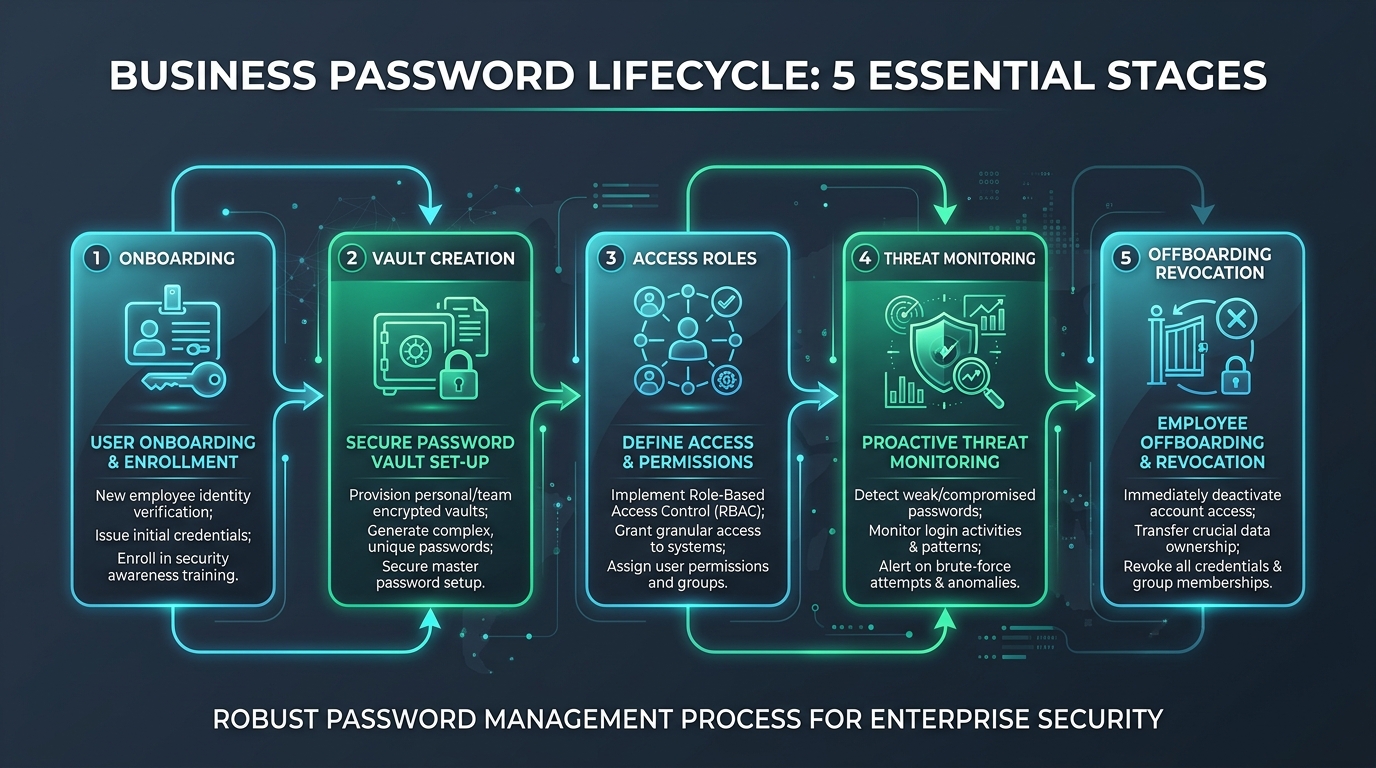
The 5 stages of business password management: from identity verification to automated offboarding revocation.
- Onboarding & Enrollment: Issue initial temporary credentials that must be changed on first login. Guide every new hire through setting up a zero-knowledge password manager and registering an authenticator app or hardware key.
- Secure Password Vault Provisioning: Provide paid business vault licenses (such as Bitwarden, 1Password, or Keeper) so employees never memorize or reuse passwords for company applications.
- Define Access & Permissions (RBAC): Segment access using Role-Based Access Control. Marketing team members do not need production database logins, and contractors should receive time-limited guest vault access.
- Proactive Threat Monitoring: Run weekly dark-web breach scans and automate alerts when an employee email address appears in public leak callsets.
- Instant Offboarding Revocation: Establish an immediate offboarding checklist: deactivate identity provider accounts (Google Workspace / Microsoft 365), revoke shared vault access, rotate all team-shared credentials, and terminate active OAuth sessions.
Small Business Compliance & Authentication Benchmark Matrix
| Compliance Framework | Minimum Password Length | MFA Mandate | Rotation Requirement | Vault & Sharing Rule |
|---|---|---|---|---|
| NIST SP 800-63B Rev 4 (USA) | 15–16+ characters | Phishing-resistant MFA recommended | Prohibited unless compromised | Allow clipboard paste; zero shared plaintext |
| PCI DSS v4.0 (Global SMBs) | 12 characters minimum | Mandatory for all payment data access | Optional if continuous MFA active | Unique credentials per staff member |
| UK Cyber Essentials (UK) | 12+ chars or 3 Random Words | Mandatory on all cloud services | Never force routine expiry | Password manager adoption encouraged |
| CCCS Baseline Controls (Canada) | 12+ chars (passwords) / 15+ (passphrases) | Required on email, finance, and cloud | Rotate only on suspected breach | Zero-knowledge client encrypted tools |
How to Roll Out an Enterprise Password Manager Without Friction
Deploying a password manager across 5 to 50 employees often meets cultural resistance if handled poorly. Follow these three steps to guarantee 100% team adoption:
- Allow Personal Vault Partitions: Choose a manager that provides a private personal vault alongside the company organization vault. Employees are much more likely to adopt the tool enthusiastically when they can use it to secure their personal accounts too.
- Standardize Department Collections: Create dedicated vault collections (Finance, Operations, Marketing, IT) and invite employees strictly by role. Read our guide on how to share passwords safely to eliminate email and chat credential leaks.
- Audit Vault Health Monthly: Review your administrative dashboard monthly to identify reused passwords, weak credentials scoring below Strong on our Password Strength Checker, and unassigned accounts.
Frequently Asked Questions
Does NIST recommend changing passwords every 90 days for small businesses?
No. NIST SP 800-63B explicitly advises against mandatory calendar-based password expiration because it causes employees to create predictable patterns. Instead, require 16-character passwords, continuous breach screening, and phishing-resistant MFA.
What is the minimum password length small businesses should enforce?
Small businesses should require at least 16 characters for employee logins (and 20+ characters for administrative accounts). When generated and stored in a password manager, 16-character passwords resist offline GPU brute-force attacks.
Can small businesses rely on browser password managers like Chrome or Edge?
No. Built-in browser password managers lack centralized administrative revocation, role-based vault sharing, and zero-knowledge encryption, and are vulnerable to infostealer malware that extracts credentials from local storage. Dedicated enterprise password managers like Bitwarden or 1Password are strongly recommended.
We focus on practical, privacy-first password guidance and update articles when recommendations change.